Spelling Challenge PRO
LittleBigPlay - Word, Educational & Puzzle GamesTrivia
4.59.00 Reviews
- Version
- Varies With Device
- Installs
- 10.00K
- Age Rating
- Everyone
Screenshots
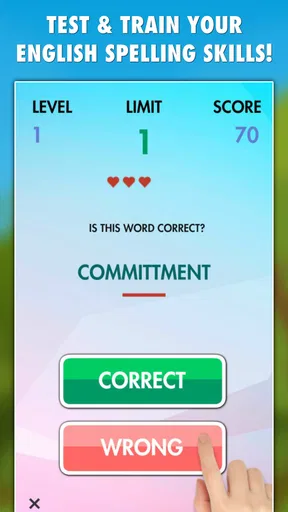
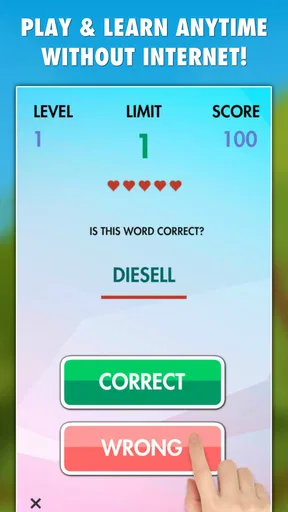
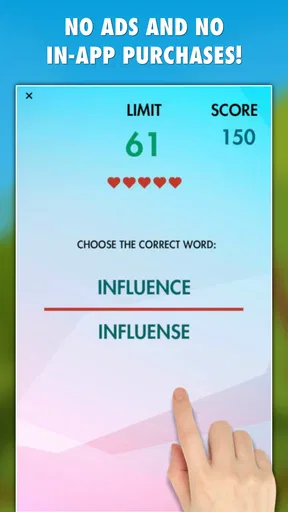
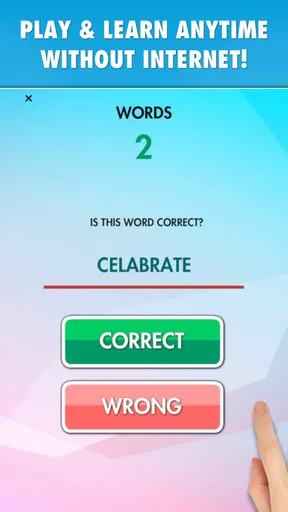
Our Review of Spelling Challenge PRO
 Analysis by Appyee
I enjoy trivia games that make me think without demanding a long session, and Spelling Challenge PRO fits that mood well. It is a compact English spelling game from LittleBigPlay - Word, Educational & Puzzle Games, aimed at anyone who wants to test word knowledge through quick challenges rather than study from a textbook. I found its appeal less in flashy presentation and more in the small moment of doubt before choosing the correct spelling.
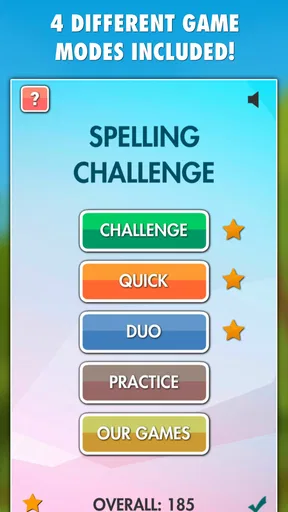
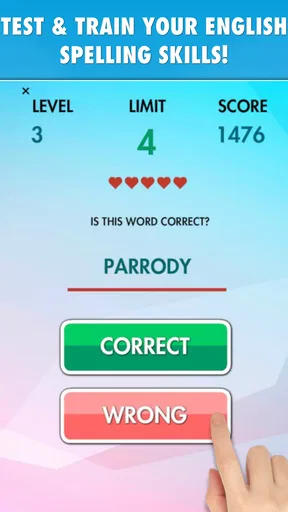
The concept is easy to understand: you face tricky English words and try to identify or produce the correct spelling across four game modes. That makes it useful for casual practice, vocabulary revision, or a short brain exercise when I have a few spare minutes. It is listed as a Trivia game, although the spelling focus gives it a more educational feel than a typical general-knowledge quiz.
What the current game is really good at
The strongest part of the experience is its narrow focus. Instead of mixing spelling with geography, history, or pop culture, the game stays centered on English words that can catch me out. That focus makes each mistake feel informative. I am not simply losing a round; I am discovering which letter pattern, ending, or word family I tend to misremember.
The four modes are important because they prevent the idea from becoming completely one-dimensional. Even when the underlying subject remains spelling, changing the way I interact with a word can alter the level of pressure. A mode that feels comfortable at first can become more demanding when I am answering quickly or dealing with less familiar vocabulary.
I would describe the difficulty as more useful for people who already know basic English and want to sharpen accuracy. Beginners may recognize some words but still find the less familiar examples discouraging. On the other hand, fluent speakers should not assume that everyday conversation makes them immune to mistakes. English contains plenty of words whose pronunciation gives little help with spelling, and those are exactly the ones that make this kind of game worthwhile.
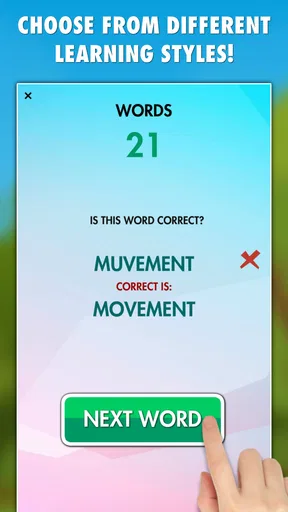
The best way to use it is as active recall, not passive reading. I try to commit to an answer before checking it, then pause briefly after a mistake and say the correct spelling to myself. That extra step turns a quick quiz into a small learning routine. Simply tapping through answers without noticing the correction is much less valuable.
How the four modes change the experience
Having four ways to play gives the game a practical advantage over a single-format spelling quiz. I can begin with the mode that feels most approachable, then move to another when I want more challenge. This is especially helpful when I am tired: I can still practice without forcing myself into the most demanding format every time.
The modes also support different goals. Someone preparing for a school spelling activity may prefer a deliberate approach, while a confident English speaker might enjoy testing quick recognition. A parent could use one mode for relaxed practice with a child, whereas an adult learner may want to repeat difficult words until the patterns become familiar.
There is a trade-off, though. Variety in modes does not automatically mean the game replaces a structured language course. I would not use it as my only method for improving writing, because spelling accuracy also depends on seeing words in sentences, understanding their meanings, and learning how related forms change. This game works best as a focused supplement.
One useful routine is to divide play into two passes. In the first pass, I answer naturally and avoid overthinking every item. In the second, I concentrate on the words that caused hesitation. This separates recognition from review and makes short sessions feel more purposeful. It also prevents me from confusing a lucky guess with genuine knowledge.
Who will get the most from it
I think the game is a good match for English learners who want a lightweight way to notice spelling weaknesses. It can also suit students looking for extra practice outside class, adults who enjoy word puzzles, and native speakers who like being challenged by irregular or easily confused words. Because the content rating is Everyone, it is presented as suitable for a broad audience, although the actual benefit will depend on the player’s English level.
It is particularly convenient for people who dislike formal study sessions. Opening a word game feels less demanding than working through a workbook, and a few rounds can fit into a commute, a waiting room, or a quiet break. In that situation, the game’s narrow subject is an advantage: I can focus on one skill without needing to prepare notes or choose a lesson.
A realistic everyday use would be a student spending a short period on it before writing an assignment. Rather than trying to memorize a huge word list, the student can use the game to expose uncertain spellings, write down the troublesome words, and then check how those words behave in actual sentences. The app supplies the trigger for review; the player still needs to complete the learning process.
It can also work for a family challenge, provided everyone is comfortable with the English level involved. Taking turns and discussing why a spelling looks right or wrong adds value that solo tapping cannot provide. I would avoid treating the score as a measure of overall intelligence, though. Spelling familiarity is influenced by reading experience, education, and exposure to different varieties of English.
Where it differs from ordinary alternatives
The usual alternatives are dictionary apps, spelling worksheets, flashcards, and broad quiz games. A dictionary is better when I need a definition, pronunciation, example sentence, or detailed explanation. A worksheet is better for a planned lesson with a teacher or a clear progression. Flashcards are better when I already have a personal list of words to memorize.
This game sits between those options. It offers more interaction than a worksheet and more surprise than a fixed flashcard deck, but it does not provide the same reference depth as a dictionary. I like that middle ground when I want to test myself rather than look something up. If my goal is to understand why a word is spelled a certain way, however, I would switch to a dictionary or language-learning resource after the game reveals the problem.
Compared with a broad trivia title, the experience is less varied but more focused. There is no need to wait for a spelling question to appear among unrelated categories. That makes it a better choice for targeted practice, while someone seeking general trivia variety will probably find the subject too narrow.
The paid price of $0.49 also places it in the inexpensive category, but I would still judge the purchase by usage rather than cost alone. A small price is worthwhile if I return to the game regularly; it is less compelling if I only want a one-time quiz. Since the core attraction is repeat practice with difficult words, the value depends on whether spelling is a skill I genuinely want to work on.
What changed, and what that means for players
The game was released on Jun 18, 2019, and its minimum operating-system requirement is Android 2.3. Those details point to a product designed to remain accessible on older Android devices. For someone using an older phone, that can matter more than modern visual polish. I would still check that the device runs it comfortably, but the low requirement makes the game less demanding than many newer titles.
Its current public footprint is modest: it has passed 10K+ installs, with an average rating of 4.5 from 85 ratings and 9 reviews. I read that as a positive signal from a relatively small audience, not as proof that it will suit everyone. A smaller review pool gives me less context about long-term use, different English levels, and how the game behaves across a wide range of devices.
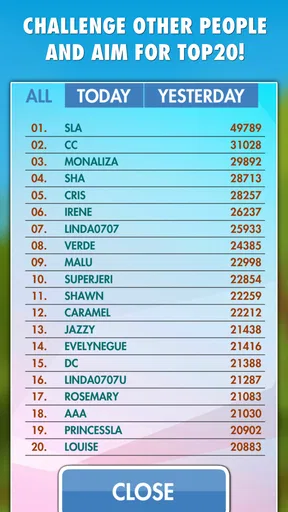
The developer, LittleBigPlay - Word, Educational & Puzzle Games, has positioned this title around word and educational play rather than a large entertainment universe. That helps explain why the game feels purpose-built. It is not trying to compete with a full language course or a highly produced multiplayer trivia platform; its job is to put spelling challenges in front of me quickly.
For existing users, the practical effect of this product direction is stability of purpose. The game remains easy to understand: open it, choose a mode, and work through spelling questions. Players who value a simple tool may appreciate that clarity. Players expecting a visibly evolving service, extensive social features, or a deep lesson path may find the experience limited.
I would be cautious about interpreting the release date as evidence that the game is outdated in every respect. A focused word game does not need constant visual reinvention to remain useful. At the same time, older software can feel less aligned with current expectations around explanations, progress tracking, accessibility, or personalization. Those are the areas I would pay attention to before recommending it as a long-term study platform.
Small techniques that make practice more effective
My first tip is to keep a handwritten error list outside the game. I would record only words that caused hesitation or a wrong answer, then review them later in groups. Grouping by pattern is more helpful than keeping a random list: words with similar endings or repeated vowel problems are easier to remember together.
My second tip is to change modes with a purpose instead of switching randomly. I would use a comfortable mode to warm up, a more demanding one to test recall, and then return to a calmer format for review. This creates a simple progression within one session and reduces the temptation to judge my ability from one difficult round.
A third useful approach is to connect every troublesome word to a sentence. If the game presents a word I miss, I would write a short sentence using it and check the meaning separately if necessary. Spelling becomes easier to retain when the word has a context, especially for words that sound alike or have confusing forms.
There is also a benefit in playing with a time limit that I set for myself, even if the app’s mode does not emphasize speed. A short, consistent session encourages regular practice without turning the game into a stressful obligation. I prefer several modest sessions to one long attempt, because fatigue can make unfamiliar spellings look equally plausible.
Limitations I noticed before recommending it
The biggest limitation is scope. This is a spelling-focused trivia game, not a complete English-learning environment. I would not expect detailed grammar teaching, pronunciation coaching, writing feedback, or a personalized curriculum from it. Anyone looking for those features should choose a broader educational app or combine this game with other resources.
Another possible friction point is the lack of context inherent in isolated word challenges. A word can be spelled correctly while still being used incorrectly in a sentence. That means players should resist the habit of memorizing letter sequences without learning meaning. For serious improvement, I would pair each uncertain word with reading, writing, and dictionary work.
The small number of public ratings also affects how confidently I can predict the experience for every player. The 4.5 average is encouraging, but it cannot answer practical questions such as whether the difficulty feels balanced for a particular learner or whether the word selection matches a specific regional variety of English. I would treat the rating as a helpful sign, not a substitute for personal fit.
The low price may reduce the barrier to trying it, yet it does not remove the need to consider replay value. If I rarely enjoy repetition, four modes may not be enough to hold my attention indefinitely. A broad quiz game would be better for variety, while a structured course would be better for measurable progression. This title makes the most sense when spelling itself is the reason I want to play.
Who should install it, and who should skip it
I would recommend it to someone who wants a direct, inexpensive spelling challenge and is happy to learn through repeated testing. It is a sensible choice for short practice sessions, casual word-game fans, and English learners who need a nudge to notice recurring spelling mistakes. Its Everyone age rating also makes it approachable for mixed-age use, as long as the vocabulary level suits the player.
I would skip it if I wanted a large social trivia experience, a detailed explanation after every answer, or a complete study plan. I would also choose another tool for a child who needs carefully graded instruction, unless an adult is using the game alongside more guided practice. The game can reveal gaps, but it does not by itself explain every reason behind them.
Before paying, I would ask myself one simple question: will I willingly return to spelling practice? If the answer is yes, the low cost and four modes make the purchase easy to justify. If I only want a broad collection of quiz subjects, the narrow focus will probably feel restrictive after the novelty fades.
My final view of the current version
After looking at the game as both entertainment and practice, I see Spelling Challenge PRO as a focused tool with a clear purpose. Its four modes and large selection of challenging words give it more staying power than a single-question spelling test, while its older Android compatibility and simple design make it accessible to a wide range of devices.
I would not present it as a replacement for a dictionary, classroom instruction, or a full language-learning course. Its value is more specific: it gives me a reason to retrieve spellings from memory, notice weak spots, and build a small review routine around them. That is enough to make it useful, provided I use the mistakes as the beginning of learning rather than the end.
The release history and modest install base suggest a small, established game rather than a rapidly changing platform. What I would watch in future updates is not unnecessary decoration, but whether the developer improves the learning side of the experience: clearer feedback, useful progress tools, or better ways to revisit words that repeatedly cause trouble. Those additions would strengthen the bridge between trivia and education.
For now, my recommendation is measured but positive. If you enjoy word challenges and want a cheap way to test English spelling in short sessions, this game is worth considering. If you need broad trivia, deep explanations, or a structured path from beginner to advanced English, I would choose a different option and use this one only as a supplementary spelling workout.
Verdict
Strengths of Spelling Challenge PRO
- Short rounds make it easy to fit into quick study sessions.
- Useful for reinforcing spelling through repeated word practice.
- Progress tracking can help identify words that need more attention.
- Works well as a casual educational game for children and adults.
- PRO content offers a more focused experience with fewer interruptions.
Limitations of Spelling Challenge PRO
- Some word lists may feel too basic for advanced spellers.
- Repeated exercises can become predictable after extended use.
- The app may offer limited customization for learning preferences.
- A mistake can feel frustrating when the expected spelling is unclear.
- Offline functionality and available features may vary by device.
Other Releases by LittleBigPlay - Word, Educational & Puzzle Games
View All


Similar Picks in This Category
View All
Millionaire 2026 Quiz & Trivia
Quiz & Trivia Games by Submarine Apps4.5

Brain Test 2: Tricky Stories
Unico Studio4.7

Trivia Crack: Brain Quiz Games
etermax4.4

QuizzLand. Quiz & Trivia game
Quiz & Trivia Games by Mno Go Apps4.8

Brain Test: Tricky Puzzles
Unico Studio4.7

Logo Quiz
bubble quiz games4.5
Frequently Asked Questions
What is Spelling Challenge PRO?
Spelling Challenge PRO is an educational word game designed to help players improve spelling, vocabulary, and concentration through interactive challenges. It typically presents words or spelling tasks that must be completed accurately, often with increasing difficulty. The app can be useful for students, children, and adults who want a casual way to practice English spelling while tracking their progress and testing their knowledge.
Is Spelling Challenge PRO suitable for children and students?
The game can be suitable for children and students, especially those who are practicing basic or intermediate English spelling. Its challenge-based format may make learning more engaging than traditional exercises. However, the appropriate difficulty depends on the player’s age, reading level, and vocabulary. Parents and teachers should review the available settings, advertisements, permissions, and content before allowing younger children to use it independently.
Does Spelling Challenge PRO work offline?
Whether Spelling Challenge PRO works completely offline may depend on the specific version installed and the features being used. Core spelling exercises may be available without an internet connection, but advertisements, analytics, updates, leaderboards, or certain online features could require access to the internet. It is best to test the app in airplane mode after installation if offline learning is important to you.
Is Spelling Challenge PRO free to download, and are there in-app purchases?
Spelling Challenge PRO may be available as a free download or as a paid version, depending on the platform, region, and current store listing. Some editions can include advertising, optional purchases, or premium features such as additional word packs and an ad-free experience. Before downloading, check the Google Play Store or Apple App Store page carefully for pricing, subscriptions, and purchase requirements.
What devices are compatible with Spelling Challenge PRO?
Compatibility depends on the operating system requirements published by the developer. Spelling Challenge PRO may support many modern Android and iOS phones or tablets, but older devices could experience installation restrictions, slower performance, or display issues. Before downloading, confirm the required Android or iOS version, available storage, and recent update history in the official store listing to ensure the app will run properly.
Play our best games!


